 Learning Suite
Free · open source · Windows · English and French
Create your e-learning modules, no subscription
Learning Suite is a set of tools to design, produce, review and share online training. Its editor, Studio, builds modules as slides or in a vertical phone format, with graded exercises and practice activities, then exports them as SCORM or as an HTML5 site.
In development · Studio 0.3 · first public download: coming soon.
- No account
- No telemetry
- Works offline
Who is it for?
For people who train others without a tech team or a software budget.
Independent trainers
Clean modules for your clients, uploaded to their learning platform (LMS) or shared as a link.
Small creators and streamers
Vertical phone format, videos, quick quizzes: short courses that fit your content.
Small organisations
Non-profits, training centres, internal teams: a free tool anyone can install.
What Studio already does
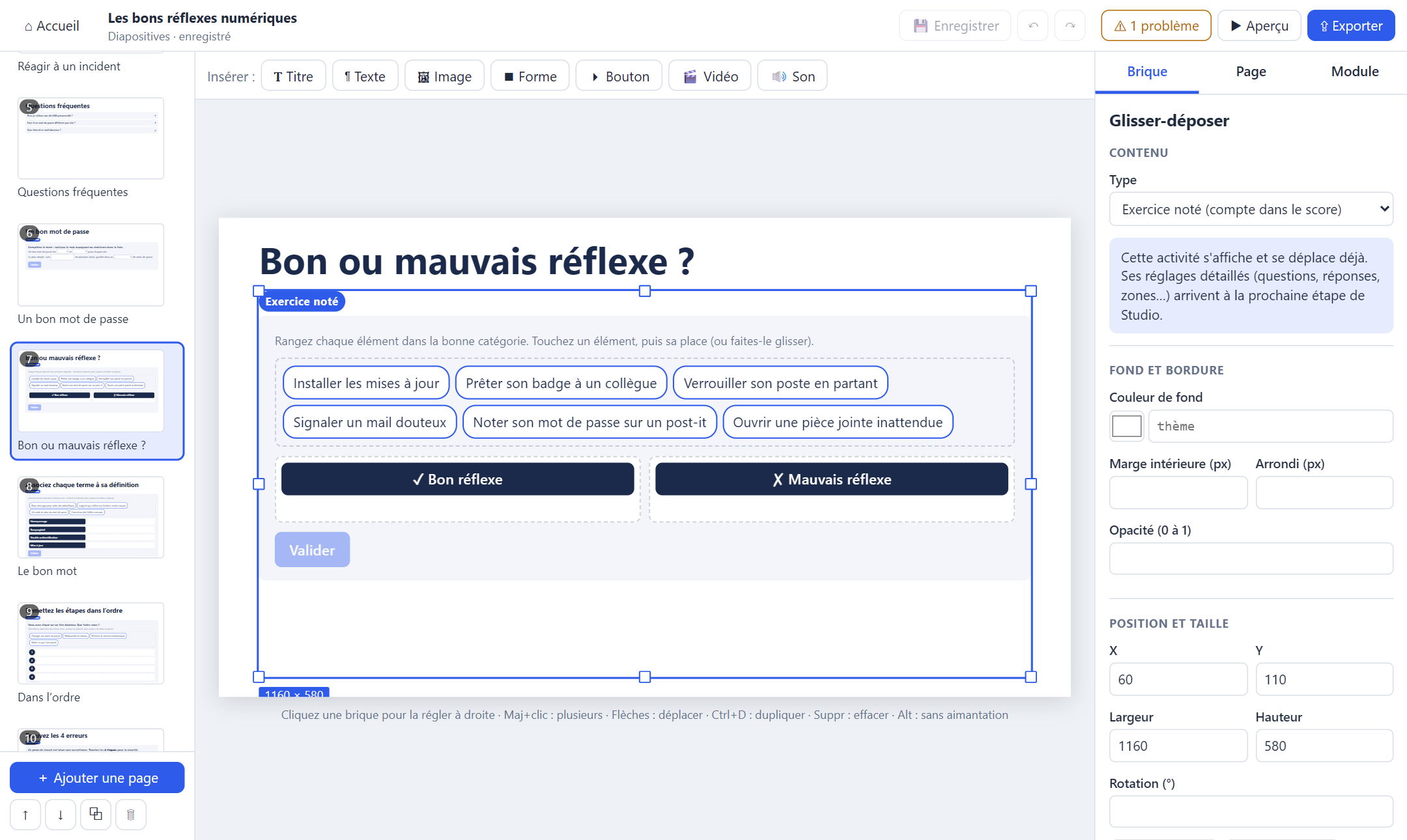
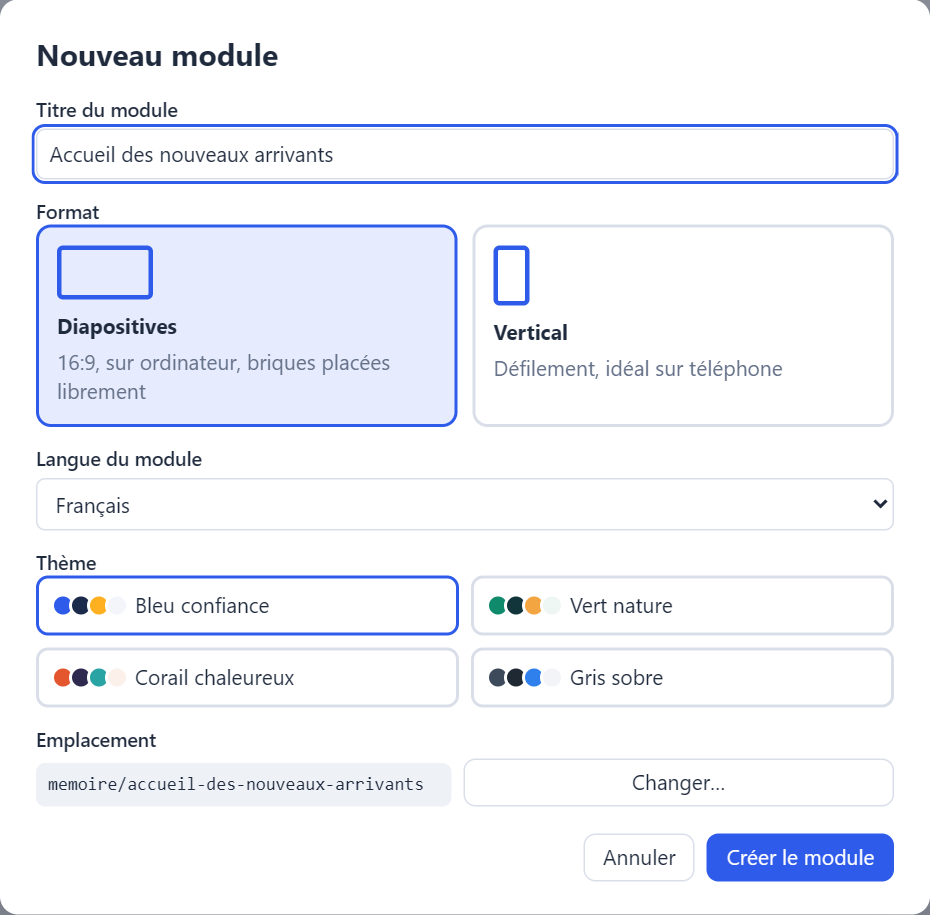
A simple editor: click a block, place it with the mouse, edit its content on the right. What you see is exactly what the learner will see.
Two formats
16:9 slides with freely placed blocks, or a scrolling vertical format, ideal on a phone.
Page templates
Title + text + image, two columns, quote, question, result… A ready page in one click.
Voice-over and media
Images, videos, sounds, a voice-over per page with transcript, and a “Next” button that waits for the end.
SCORM 1.2 and HTML5 export
Score, pass/fail and resume sent to your LMS. Tested in SCORM Cloud. Or a standalone site, no platform needed.
AI-made HTML games
Drop in a game generated by an AI: it runs in an isolated frame and sends its score to the module.
English and French
The editor and the modules speak English or French. Undo / redo, automatic saving.
Exercises and activities
Two clear families. Exercises are graded and count in the score sent to the LMS. Activities are never graded: learners discover, practise and reflect. Everything works by touch, mouse and keyboard.
- readySingle choice, multiple choice, true / false
- readyFill in the blanks (typing or list)
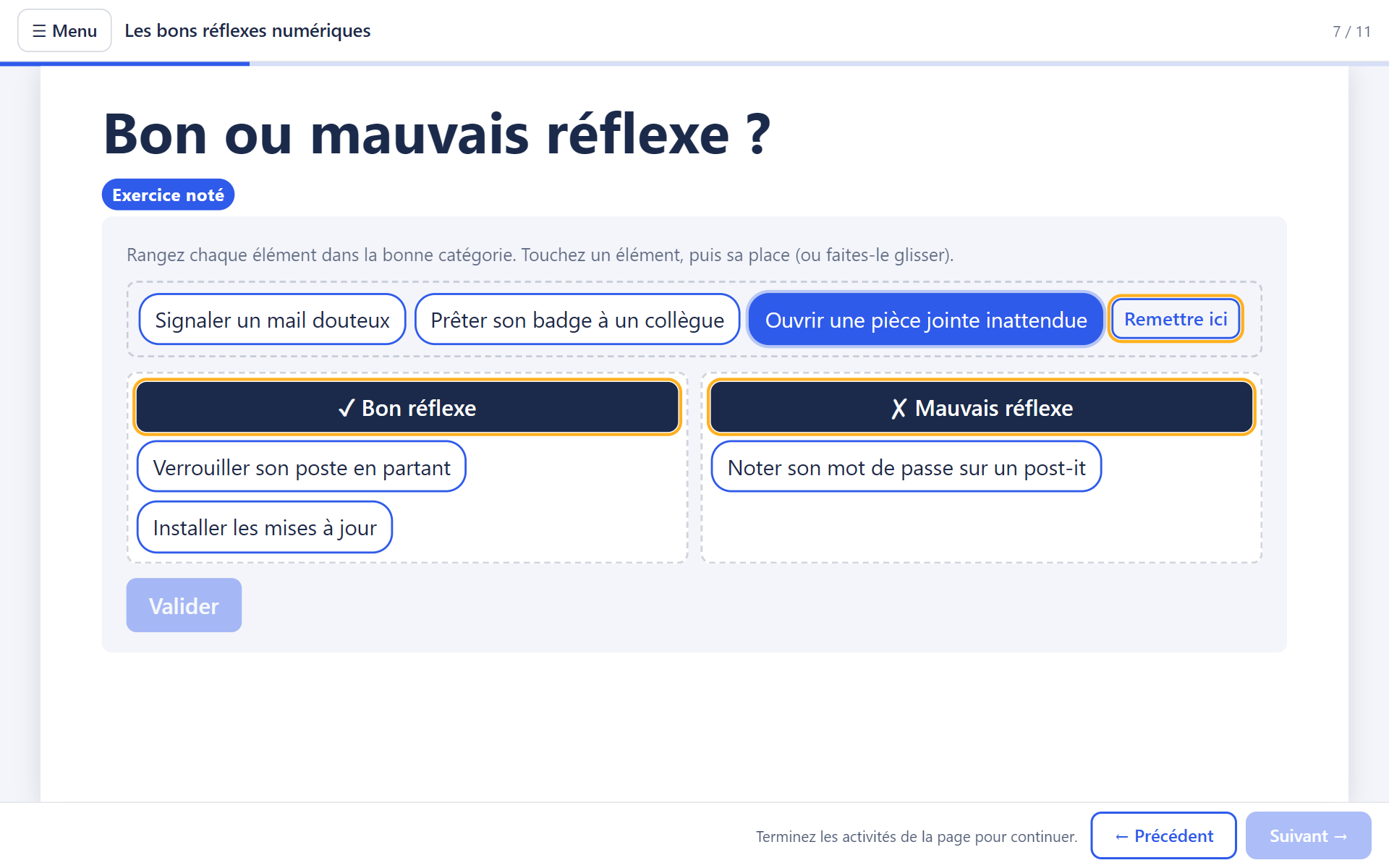
- readyDrag and drop: categories, pairs, ordering
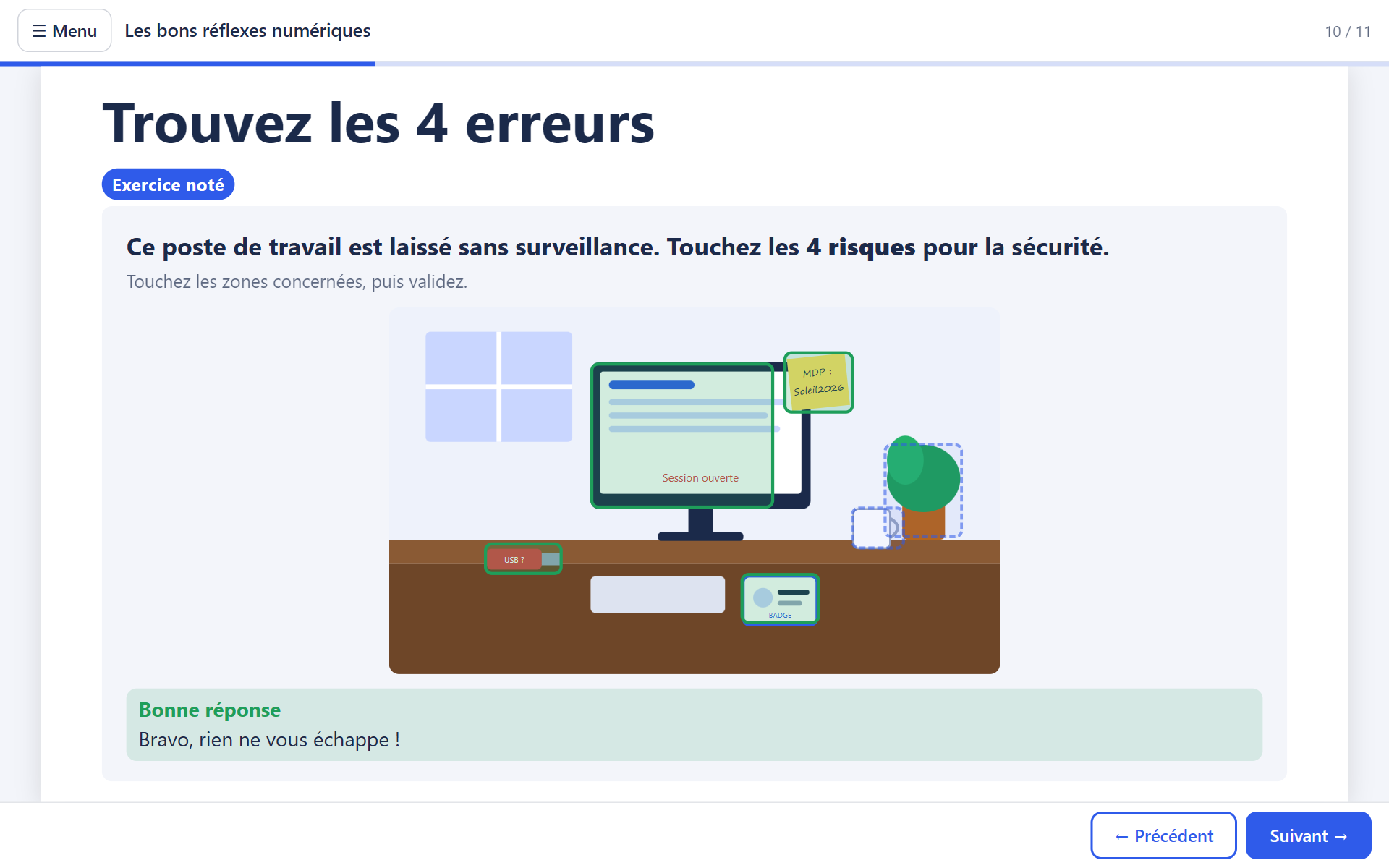
- readyFind the areas on an image
- readyGraded HTML game
- soonBranching scenario
- soonShort answer, numeric slider, spot the errors
- soonQuiz drawn from a question bank
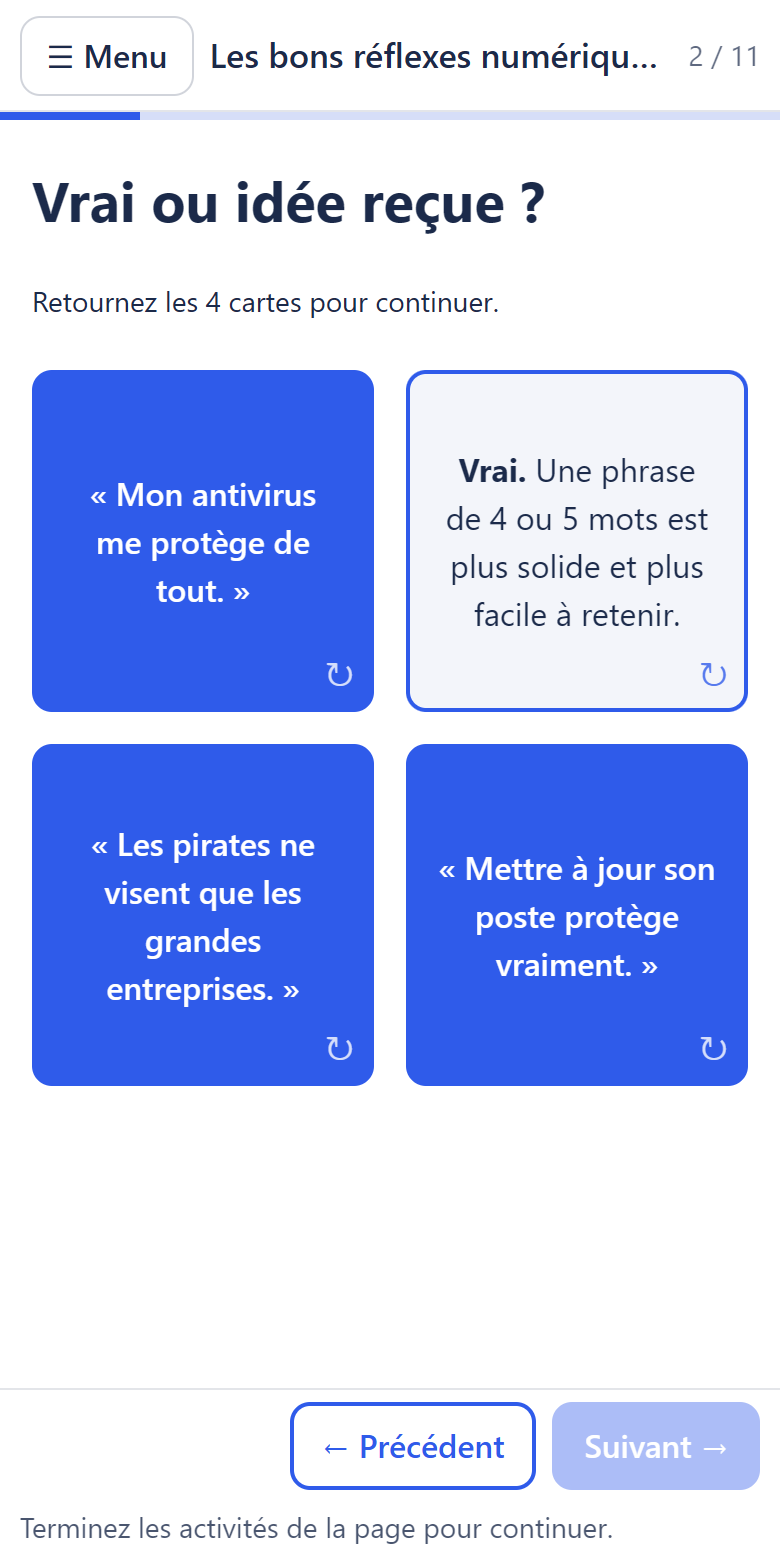
- readyFlip cards
- readyTabs, accordion, timeline
- readyExplore areas on an image
- readyAny exercise in “practice” mode
- soonInteractive video (pauses, questions)
- soonBefore / after, slideshow, flashcards, checklist
- soonSelf-assessment, free reflection, poll
What the learner sees
A lightweight player that works in every browser, on computers and phones. (Screenshots of a French sample module.)
The suite
Several free apps, one family. Each one installs separately.
Studio
In development · version 0.4
The module editor: pages, blocks, exercises, activities, preview, export.
Player
Ready
What the learner sees, in the browser. Included in every export.
Learning Suite launcher
In development · version 0.1
Your modules and their current stage, your apps (including Clicksy) and favourite tools in one place.
Review
Planned
Reviews without a server: your client comments in their browser, nothing to install.
Clicksy
Available
Cursor effects, screen recording, video editing and step-by-step guides for your demos.
Roadmap
The target workflow, every step optional: framing → script → storyboard → production → review → delivery.
Format, player and export done
Open, documented module format, HTML5 player, SCORM 1.2 and HTML5 export validated in SCORM Cloud.
Exercises and activities done
Quizzes, fill in the blanks, drag and drop, areas, flip cards, tabs, timeline, HTML games; partial or all-or-nothing scoring.
Studio, the core editor done
Pages, templates, mouse-placed blocks, properties, theme, voice-over, preview, export; English and French.
Release in progress
Public code, installers built by GitHub, free code signing via SignPath Foundation, first download.
Learning Suite launcher in progress
Recent projects, workflow stage, suite apps, favourite tools (including Clicksy and its actions).
Studio: editing exercises and activities
Questions, answers, areas drawn with the mouse; new exercises and activities; import from Clicksy.
Design workflow
Framing, script and storyboard, then pages created in one click; storyboard export for client sign-off.
Review
Review package opened in the browser, comments with screenshots, imported into Studio.
Claude and integrations
Studio driven by Claude (MCP), “Edit with…” (ArtCraft, Krita…), free offline voice-over, sharing as a link.
Free, open, respectful
Open source (AGPLv3)
The code is public and will stay so. Your modules are yours: a readable folder, project.json + your media.
Your data stays with you
No account, no telemetry, no mandatory server. Your modules stay on your PC.
Verifiable installers
Built by GitHub from the public code, with SHA256 checksums. Free code signing requested from SignPath Foundation.
FAQ
Is it really free?
Yes, completely, with no limit on modules. The project is open source and relies on no paid server.
Do I need a learning platform (LMS)?
No. The HTML5 export gives a standalone site to put online or open from your PC. If you have an LMS (Moodle, Chamilo, Rise Up…), the SCORM 1.2 export sends score, pass/fail and resume.
Which systems?
Studio runs on Windows 10 and 11. Exported modules open in every recent browser, on computers, tablets and phones.
When can I download it?
The first public version comes with the signed installers. Watch the GitHub repository to be notified.
Can I use games or content made by an AI?
Yes: an HTML page generated by an AI can be inserted into a module. It runs in an isolated frame and can send back a score.